

How to take restaurant bookings on WhatsApp
Your guests already write to you there. Here is how to turn those messages into bookings, without spending service on your phone.
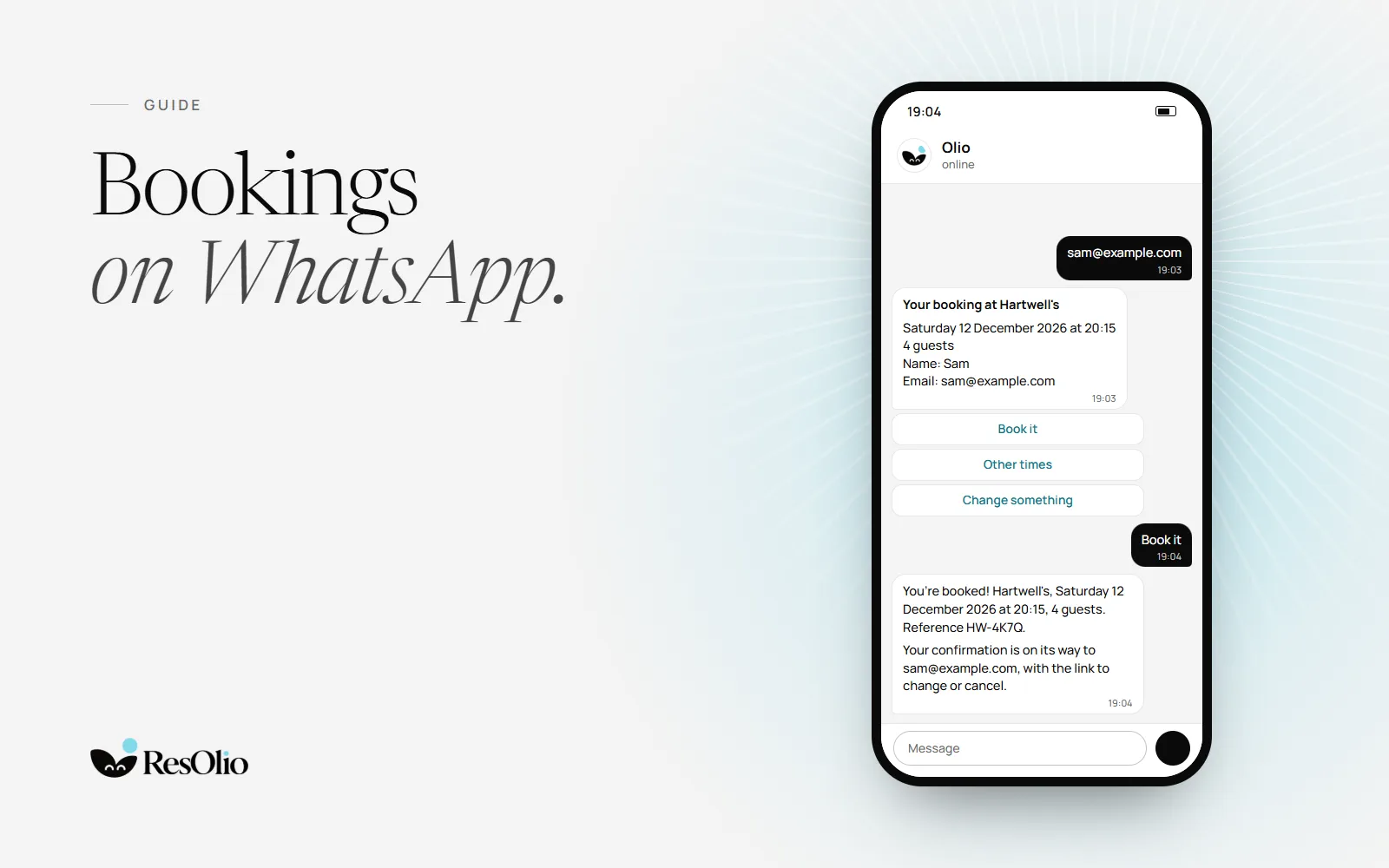
Some guests would rather send a message than fill in a form, or call while you are at your busiest. Many of them are already on WhatsApp: more than 3 billion people in over 180 countries use it, by WhatsApp’s own count.
The trouble with bookings in a chat
Taking bookings in a chat feels easy, until the room fills up.
- Messages arrive during service, when nobody can answer.
- Someone has to check the book, reply, and type the booking in by hand.
- Two people can promise the same table.
- A booking that lives in a chat gets no confirmation, no reminder and no record.
- Questions come late at night, long after you have closed.
- Details get lost: an allergy mentioned in a chat never reaches the kitchen.
Three ways to take bookings on WhatsApp
1. Answer by hand
The simplest start. WhatsApp’s Business app, built for small businesses, gives you a business profile, a greeting for new chats and an away message for when you are closed.
It works for a few bookings a week. Past that, someone spends service on their phone, and every booking still has to be typed into your book.
2. Reply with your booking link
When a guest asks for a table, send them the link to your booking page. They pick a time that is really free, and the booking arrives with their details, a confirmation and a reminder.
It is quick, and it never sells the same table twice. But the guest leaves the chat to book, and you still answer the first message yourself.
Keep the link close at hand: put it in your WhatsApp profile, and keep a short reply with it, ready to send.
3. Let an assistant book them
An assistant reads the message, checks your real availability, offers times and books the table, all inside the chat. A question it can’t answer goes to you.
Building one yourself means the WhatsApp Business Platform, usually through a developer or a provider, and Meta's own pricing for each message.
Which way suits you
- A few messages a week: answer by hand, and send your booking link.
- Messages every day, or during service: let an assistant take them, so nobody has to leave the floor.
- A team that shares the work: whichever you choose, keep one book that every tablet sees.
- Guests who ask questions before they book: an assistant answers at any hour, and hands the rest to you.
Good habits for bookings by message
- Get the four essentials. Day, time, party size and a name. A booking missing one of them becomes a phone call later.
- Ask for an email. It carries the confirmation, the reminder, and the link to change or cancel.
- Confirm in writing. “You’re booked for 4 on Saturday at 8” ends any doubt, for the guest and for your team.
- Never hold a table without a time limit. A table kept for a guest who stopped replying is a table nobody else can book.
- Say when you’ll answer. If you reply by hand, your away message should say when, and give your booking link in the meantime.
- Talk to large parties. A big group deserves a call, or at least your yes, before it is booked.
How it works with Olio
Olio is ResOlio’s booking assistant. On the Plus plan, it takes bookings on WhatsApp for your restaurant. Guests need nothing but WhatsApp: no other app, and no account. Here is one booking, from start to finish.
A guest opens your page
Under the booking form on your page, Book on WhatsApp opens a chat with Olio. The first message is already typed, and it names your restaurant.
They ask in their own words
“Table for 4 on Saturday at 8.” Olio offers only the times you really have free, under the same rules as your page.
They tap a time
Olio holds the table while it gets a name and an email, then shows a summary. The guest taps Book it.
The booking lands in your book
It appears on the service screen of every tablet, like any other booking. The confirmation goes by email, with a private link to change or cancel.
Questions come to you
A question Olio can’t answer, such as bringing a birthday cake, comes to you in Messages, in your dashboard. Reply within 24 hours, and your answer goes back to the guest on WhatsApp.
On WhatsApp: Guest: Table for 4 on Saturday at 8, Hartwell's Olio: 20:00 isn’t free at Hartwell's on Saturday 17 October 2026. Here are the closest free times for 4 guests. I’ll also need your email for the confirmation. a list, See times: 19:30, 19:45, 20:15, 20:30, 20:45 Guest: 20:15 Olio: Hartwell's, Saturday 17 October 2026 at 20:15, 4 guests: held for you until 19:13. What email should the confirmation go to? Guest: sam@example.com Olio: Your booking at Hartwell's. Saturday 17 October 2026 at 20:15. 4 guests. Name: Sam. Email: sam@example.com. Pressing “Book it” means you agree that Hartwell's keeps these details to manage your booking, and uses any allergies you add to prepare your meal. Privacy: https://resolio.app/privacy. Held for you until 19:13 With the buttons Book it, Other times, Change something. Guest: Book it Olio: You’re booked! Hartwell's, Saturday 17 October 2026 at 20:15, 4 guests. Reference HW-4K7Q. Your confirmation is on its way to sam@example.com, with the link to change or cancel. Add a person, change the time or cancel here: https://resolio.app/en/hartwells/manage#t=… Guest: Can we bring our own birthday cake? Olio: I’ve asked Hartwell's, and I’ll send you their answer here. Olio: Hartwell's: Of course, and we’ll keep it in the fridge for you.
Large parties can wait for your yes. With Ask me first in Settings › General, a party from the size you choose becomes a request. Olio tells the guest nothing is booked until you say yes, and your answer reaches them by email.
After the booking
A guest can come back to the same chat to change the time or the party size, cancel, or say they are running late. It works for a booking made with the phone number they write from, under the same rules as their booking’s own page. The confirmation email links to that page too, for guests who would rather change it there.
Nothing changes until the guest taps the card Olio sends. Past your cut-off, Olio gives them your number instead. When a guest says they are running late, Olio tells you in Messages.
What you need to set up
Almost nothing. There is no WhatsApp account to open and no number to connect: guests reach Olio from the link on your page.
- A plan with WhatsApp: Plus, Pro or Enterprise. Olio on WhatsApp is on from the start.
- A live page: at least one table guests can book online, and one service. See going live.
- A quick test: in Settings › Emails, Bookings on WhatsApp shows the number guests write to, and opens your page’s WhatsApp link so you can try it as a guest would.
- Your page, shared: put your booking page wherever guests find you. The WhatsApp link comes with it.
- Your phone number on your page: Olio gives it to guests for what it can’t do online, such as a party larger than you take online. See edit your page.
ResOlio manages Olio, so there is nothing for you to switch on. To have it switched off, or back on, write to us.
What Olio never does
- Offer a table you don’t have, or a time that isn’t free.
- Book, move or cancel a booking before the guest taps.
- Take a card. Guests never pay to book.
- Make up an answer it doesn’t have. It asks you instead.
Which plan
Olio on WhatsApp comes with Plus (€59 a month, or €47 a month paid yearly), Pro (€99) and Enterprise. Plus takes up to 1,500 bookings a month. From Starter (€39), Olio also books guests in a chat on your booking page, and helps your team in the dashboard.
Compare the plans, meet Olio, or read how Olio works, step by step.
Questions
Do I need a WhatsApp Business account to take bookings with Olio?
No. Guests reach Olio on WhatsApp from the link on your page. There is nothing to connect.
Can Olio book the same table twice?
No. It offers only times that are really free, under the same rules as your booking page, and it books into the same book your team uses.
What if a guest asks something Olio doesn’t know?
It tells the guest it has asked you, and the question comes to you in Messages. Reply within 24 hours, and your answer goes back to the guest on WhatsApp.
Can guests change or cancel a booking on WhatsApp?
Yes, for a booking made with the phone number they write from. Each change is a card the guest taps, within your rules for changes and cancelling.
How much does it cost to take bookings on WhatsApp with ResOlio?
Olio on WhatsApp comes with Plus, at €59 a month (€47 a month paid yearly), and with Pro and Enterprise. Guests never pay to book.
Sources
- WhatsApp: About WhatsApp whatsapp.comread on
- WhatsApp Business: the WhatsApp Business app whatsappbusiness.comread on
- Meta for Developers: Pricing on the WhatsApp Business Platform developers.facebook.comread on
Something wrong? Tell us
Take bookings with no fee per cover
Set it up in three short steps, with no card.