

Meet Olio, the assistant that books your tables
Olio books guests on WhatsApp and on your page, looks after their bookings, and helps your team in the dashboard.
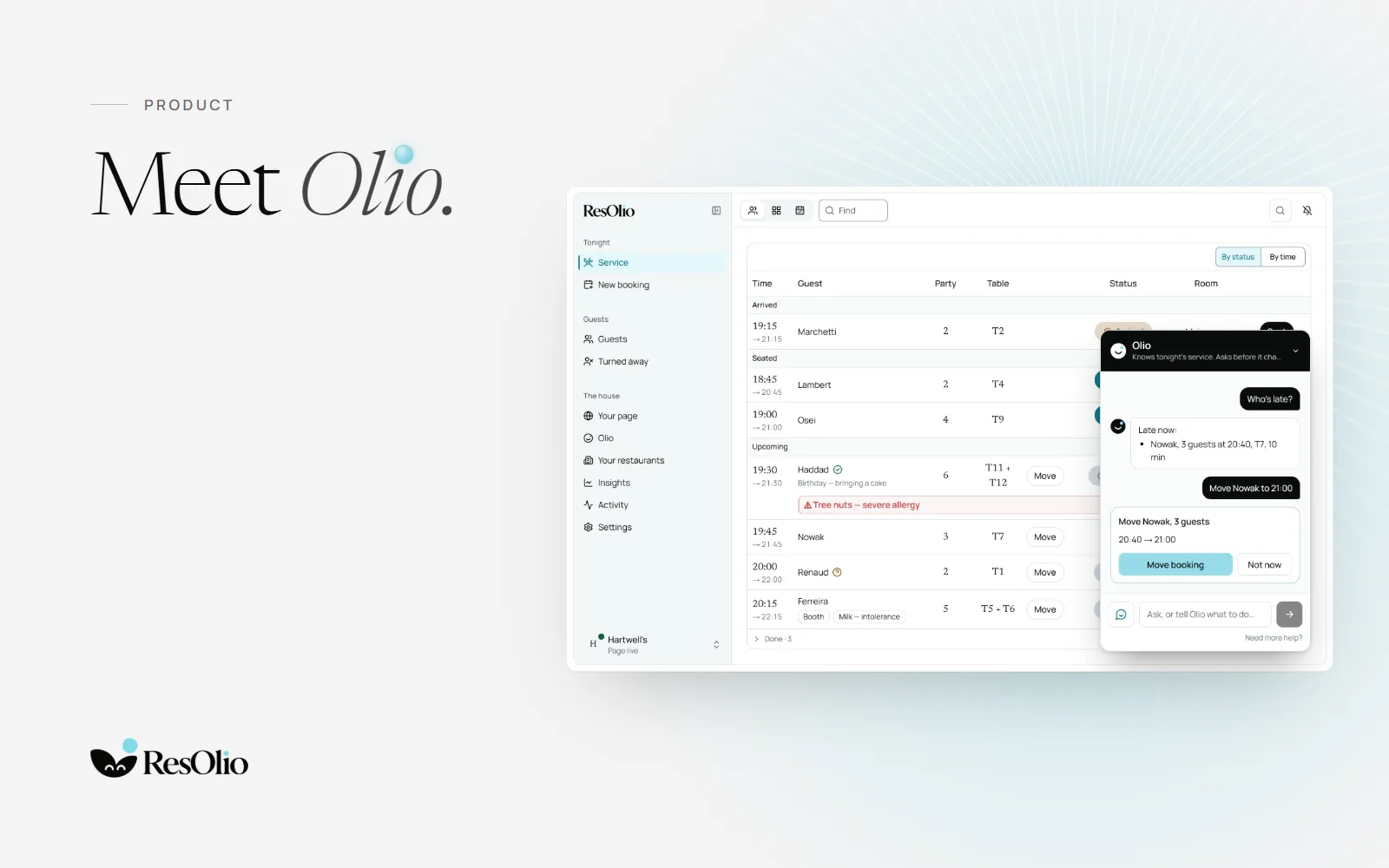
Today we are introducing Olio. It is the second half of our name: Res, for reserve, and Olio. Reserve with Olio.
Olio works in four places: on WhatsApp, on your booking page, on a guest’s own booking, and in your dashboard. In each, it does what a good host does. It answers, it offers only what you really have, and it hands anything unusual to a person.
On WhatsApp
Guests write to Olio on WhatsApp, the way they would write to a friend. Olio offers the free times at your restaurant, holds the table while it asks for a name and an email, and books it. The booking lands on your service screen, and the confirmation goes by email.
A question it can’t answer, such as whether they can bring a cake, goes to you. Your answer goes back to the guest in the same chat. Olio on WhatsApp comes with Plus, Pro and Enterprise.
On WhatsApp: Guest: Table for 4 on Saturday at 8, Hartwell's Olio: 20:00 isn’t free at Hartwell's on Saturday 17 October 2026. Here are the closest free times for 4 guests. I’ll also need your email for the confirmation. a list, See times: 19:30, 19:45, 20:15, 20:30, 20:45 Guest: 20:15 Olio: Hartwell's, Saturday 17 October 2026 at 20:15, 4 guests: held for you until 19:13. What email should the confirmation go to? Guest: sam@example.com Olio: Your booking at Hartwell's. Saturday 17 October 2026 at 20:15. 4 guests. Name: Sam. Email: sam@example.com. Pressing “Book it” means you agree that Hartwell's keeps these details to manage your booking, and uses any allergies you add to prepare your meal. Privacy: https://resolio.app/privacy. Held for you until 19:13 With the buttons Book it, Other times, Change something. Guest: Book it Olio: You’re booked! Hartwell's, Saturday 17 October 2026 at 20:15, 4 guests. Reference HW-4K7Q. Your confirmation is on its way to sam@example.com, with the link to change or cancel. Add a person, change the time or cancel here: https://resolio.app/en/hartwells/manage#t=… Guest: Can we bring our own birthday cake? Olio: I’ve asked Hartwell's, and I’ll send you their answer here. Olio: Hartwell's: Of course, and we’ll keep it in the fridge for you.
On your booking page
From Starter, your booking page has a chat with Olio in its corner. A guest writes the day, the time and how many they are. Olio shows only the times you really have free, and the guest taps one to book, under the same rules as the form.
It answers from your page and the details you give it. On Olio, What guests ask most sets the answers to common questions, such as parking, dogs, children or the terrace, and Olio gives them on its own, in the guest’s language. Anything else waits for you.
On your booking page: Olio: Hi, I’m Olio. When would you like to come, and how many of you? Guest: Saturday around 8 for 4, it’s a birthday Olio: 20:00 is free for 4 people on Saturday 17 October. Tap it to hold it, or pick another time. Olio: free times: 19:30, 19:45, 20:00, 20:15, 20:30, 20:45 Guest: taps 20:00 Olio: a card, Saturday 17 October 2026 at 20:00 · 4 guests: It’s a birthday, Held for you until 19:13, with the button Book it Guest: taps Book it. See you Saturday 17 October 2026 at 20:00 Hartwell's · table for 4 guests
On a guest’s own booking
Every booking has its own page. There, a guest can ask Olio to change the time or the party size, add a request, cancel, or tell you they are running late. Each change is a card the guest taps, within your rules for changes and cancelling. Past your cut-off, Olio gives them your number.
When a guest says they are late, you see it under Waiting for you on Olio.
On their booking: Olio: Hi, I’m Olio. I can change or cancel this booking, or answer a question about your visit. Guest: Change the time Olio: What time would you like? You can say another day too. Guest: 8pm Olio: a card, Move your booking: Sat 17 Oct 19:30 → Sat 17 Oct 20:00, with the button Make this change Olio: Check the card and tap it to make the change. Guest: taps Make this change. Done. Guest: Can we be 6 instead? Olio: Online changes to this booking are closed now. Please contact Hartwell's.
In your dashboard
Olio sits in the corner of every dashboard page. Ask it about tonight: who is late, or a summary of the night. Ask how something works, and it answers from our guide, with a link.
Or ask it to do something: move a booking, seat a walk-in, work the waiting list, close a day, change your hours or edit your page. Olio draws the change as a card that says what it will do. Nothing changes until someone taps it, and Undo stays on the card for ten minutes.
Setting up? Set up with Olio sets up your restaurant in a chat: your days and hours, your tables, how guests book, and your page.
From Plus, Olio also speaks first. During service, it points out a party running late, a table the next booking will need soon, or a guest with an allergy arriving within half an hour. It also suggests changes from your own numbers, such as asking guests to confirm before a day that is nearly full. Each comes with one action, and any change is still a card someone taps.
In your dashboard: Host: Who’s late? Olio: Late now: Nowak, 3 guests at 20:40, T7, 10 min Host: Move Nowak to 21:00 Olio: a card, Move Nowak, 3 guests: 20:40 → 21:00, with the button Move booking Host: taps Move booking. Done Host: How do I close a day? Olio: Open Settings › Special days, find the day and press Close the day & cancel. You see who is booked before anything changes, and you can undo it for ten minutes. Close a day and cancel its bookings
The rules Olio follows
- Only the tables you have, at times that are really free.
- Nothing booked, changed or cancelled without a tap.
- No card, ever. Guests never pay to book.
- A person for the unusual: what it can’t answer goes to you.
- Your plan, billing, devices and guests’ data stay on their own screens. Olio never touches them.
Which plans
- Starter (€39 a month): Olio on your booking page, on guests’ own bookings and in your dashboard.
- Plus (€59 a month): all of that, plus Olio on WhatsApp, and its suggestions and heads-ups during service.
- Pro (€99 a month) and Enterprise: everything in Plus.
Olio is on from the start on the plans that include it. We manage it, so there is no switch to forget. To have a part switched off, write to us. Your booking page and service screen work the same without it.
See Olio at work on the Olio page, read how it works, step by step, or compare the plans.
Questions
What is Olio?
ResOlio’s booking assistant. On Plus, guests book a table by writing to it on WhatsApp. From Starter, it also books guests on your page and helps your team in the dashboard.
Does Olio replace my host?
No. It takes booking requests on WhatsApp and on your page, so your host takes fewer calls and has more time for the guests at the door.
Can Olio change something without asking?
No. Every change is a card someone taps first. In the dashboard, Undo stays on the card for ten minutes.
Can I switch Olio off?
Yes. We manage it: write to us, and we switch off the part you ask for.
Do guests pay to use Olio?
No. Olio never takes a card, and guests never pay to book.
Something wrong? Tell us
Take bookings with no fee per cover
Set it up in five short steps, with no card.