

Board game café reservation system: book tables by the hour, and keep the games turning
You sell time at the table, so your bookings should be timed too.
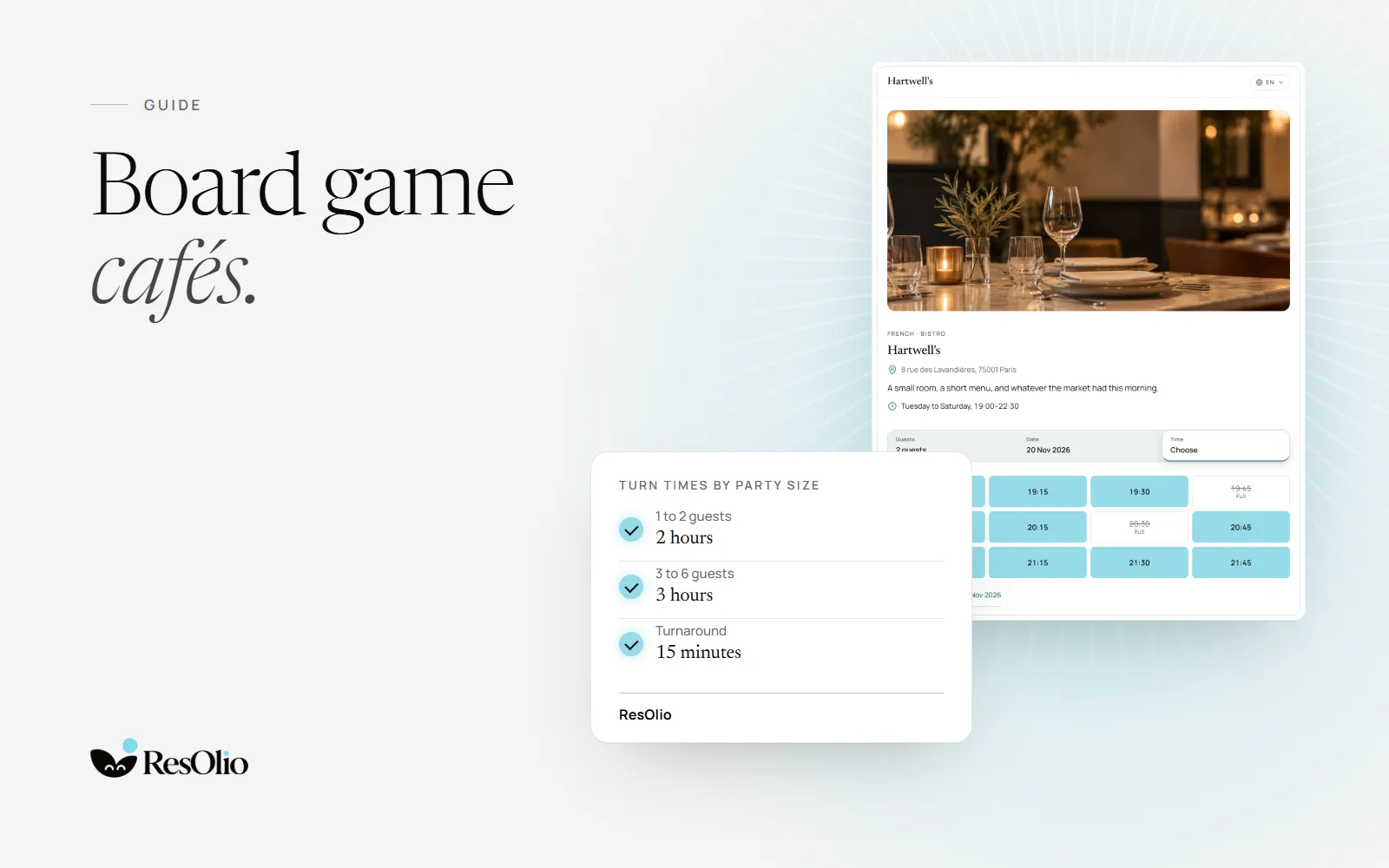
A board game café booking system has a different job from a restaurant’s. Your guests don’t stay for a meal: they stay for a game, or three. What you sell is time at a table.
So a board game café reservation system has to book time. This guide covers session length, day and evening sessions, the reset between bookings, walk-ins, game nights, and what stays at the till.
How board game cafés sell table time
There are two ways to sell it, and you can use both.
- Timed sessions. A booking holds a table for a set time, such as two or three hours. When it ends, the table is reset for the next group.
- Open-ended tables. Guests stay as long as they like, and pay by the hour or a flat fee at the till.
Bookings work best with timed sessions. An open-ended booking can’t be planned around: you never know when the table frees. One way to have both is to book timed sessions and keep open-ended play for walk-ins on quieter days.
Whichever you choose, say it on your booking page. A group that knows it has the table for three hours plans its games around it. If you also run a café with food all day, see how to take table bookings in a café.
Board game café time slots: session length by party size
A longer game needs a longer session, and so does a bigger group. Set one default, then longer ones for bigger parties.
In ResOlio, each service has its own default turn: the minutes a table is held for each booking. Under “Turn times by party size”, add a band: a party inside it is held for that band’s minutes instead. Four players can have three hours while a couple has two. See services and turn times.
Two more settings shape your slots:
- How often a start time is offered. In Settings › General, the slot interval decides it, from every 5 minutes to every 120. For sessions that start on the hour, set it to 60.
- The last start. Each service can have a last seating, so nobody books a three-hour session an hour before closing.
Once a guest picks a time, your booking page shows how long the table is theirs.
Day and evening sessions
Your afternoons and your evenings may not look alike: families and long games in the day, groups of friends at night.
In ResOlio, make them two services, such as Day and Evening, each with its own hours, days and table time. A service that closes after midnight is read as the next day, so a late session can run past 1 am.
Inside a service, you can split the time into up to three sittings, each with its own table time. An early evening session that must end by eight, and a late one that can run long, live in the same service.
A gap to reset tables and games
A table that is booked again the minute the last group stands up has no time to be cleared, wiped and laid out with games. Leave a gap.
In ResOlio, set the turnaround in Settings › Availability: the minutes a table stays free between two bookings, from 0 to 120. Set one for every area, and a different one for an area that takes longer to reset, such as the tables with the big games. See Availability.
Board game café table booking and walk-ins on one floor
Walk-ins are part of a board game café’s day. Your booking system should show them beside your bookings, not in a notebook.
In ResOlio, walk-ins go into the same book as your bookings, on every plan. Tap a free table on the floor map, add the party’s details, and they are booked and seated in one press. See seat a walk-in.
To keep some tables for walk-ins, set them to walk-in only in Settings › Availability. You can do it for the whole day or for one sitting, and keep the rest bookable online.
Stop two people taking a table for six
A couple who books online can end up at your biggest table. Two settings prevent it.
- The smallest party a table takes. Each table can refuse parties below a size, so a table for six is kept for four or more.
- The spare seats allowed. In Settings › General, cap how many empty seats a party may be given, so a pair is never handed a large table.
Big groups and game nights
A birthday group or a club night needs tables pushed together, and a word from you before it is booked.
- Tables pushed together. In ResOlio, a combination is two or more tables offered as one, bookable while all of them are free.
- Your yes first. Turn on “Ask me first”, and online bookings from large parties wait for your approval, from 8 people unless you change the number.
- Size limits. Choose the largest party that can book online. Your team can still book any party the tables can seat.
A game night for one group is one booking. ResOlio does not sell tickets, so an event where separate guests buy places is not something it runs.
What the booking form asks
Every online booking asks for a name, an email and a phone number. Guests can add allergies, which matters if you serve food, and a note of up to 500 characters for anything else.
On Pro, you can add up to five questions of your own, such as “Is this your first visit?” or “Which game would you like set up?”. A question can be required, and the answers show on the booking. See your own questions.
The table fee stays at the till
Guests never pay to book with ResOlio. There is no deposit, no card and no online payment. If you charge a table fee or an hourly rate, take it at the till, as you do today.
That keeps booking quick for guests, and your takings in your own till.
Setting it up in ResOlio
- Your tables. Add your areas and tables in Settings › Floor, with the smallest party each takes, and the combinations for big groups. See floor settings.
- Your sessions. Add your services, their table times and the bands for bigger groups.
- Your rules. Set the reset gap, the walk-in tables and your house rules, such as “please put the games back in their boxes”.
- Your page. Share your booking page, and put the embed on your website. See how to add online booking to your website.
Free takes up to 50 bookings a month. See the free plans compared, and every plan on the pricing page.
Questions
How long should a board game café booking be?
Long enough for the games your guests play. Set one default session, and longer ones for bigger groups if they need them. In ResOlio, each service has its own table time and bands by party size.
Should I keep tables for walk-ins?
If people walk in, yes. In ResOlio, set any table, area or sitting to walk-in only, and seat walk-ins from the floor map in the same book as your bookings.
Can guests pay the table fee online?
Not with ResOlio. Guests never pay to book: no deposit and no card. Your table fee or hourly rate stays at the till.
How do I stop two people booking a table for six?
Give the table a smallest party, and cap the spare seats a party may be given. In ResOlio, both are in your settings, on every plan.
Can I run a game night for one big group?
Yes, as one booking on tables pushed together, with “Ask me first” on so you approve it before it is booked. ResOlio does not sell tickets to separate guests.
Can guests book in French or Arabic?
Yes. Every ResOlio plan speaks English, French and Arabic: the booking page, the guests’ emails and your screens. Arabic reads right to left. Your own words, such as your house rules, you write once for each language.
Something wrong? Tell us
Take bookings with no fee per cover
Set it up in three short steps, with no card.