

Restaurant waitlist app: one list for walk-ins and online guests
When you are full, every guest who wants a table should join the same list, and every freed table should find its next party.
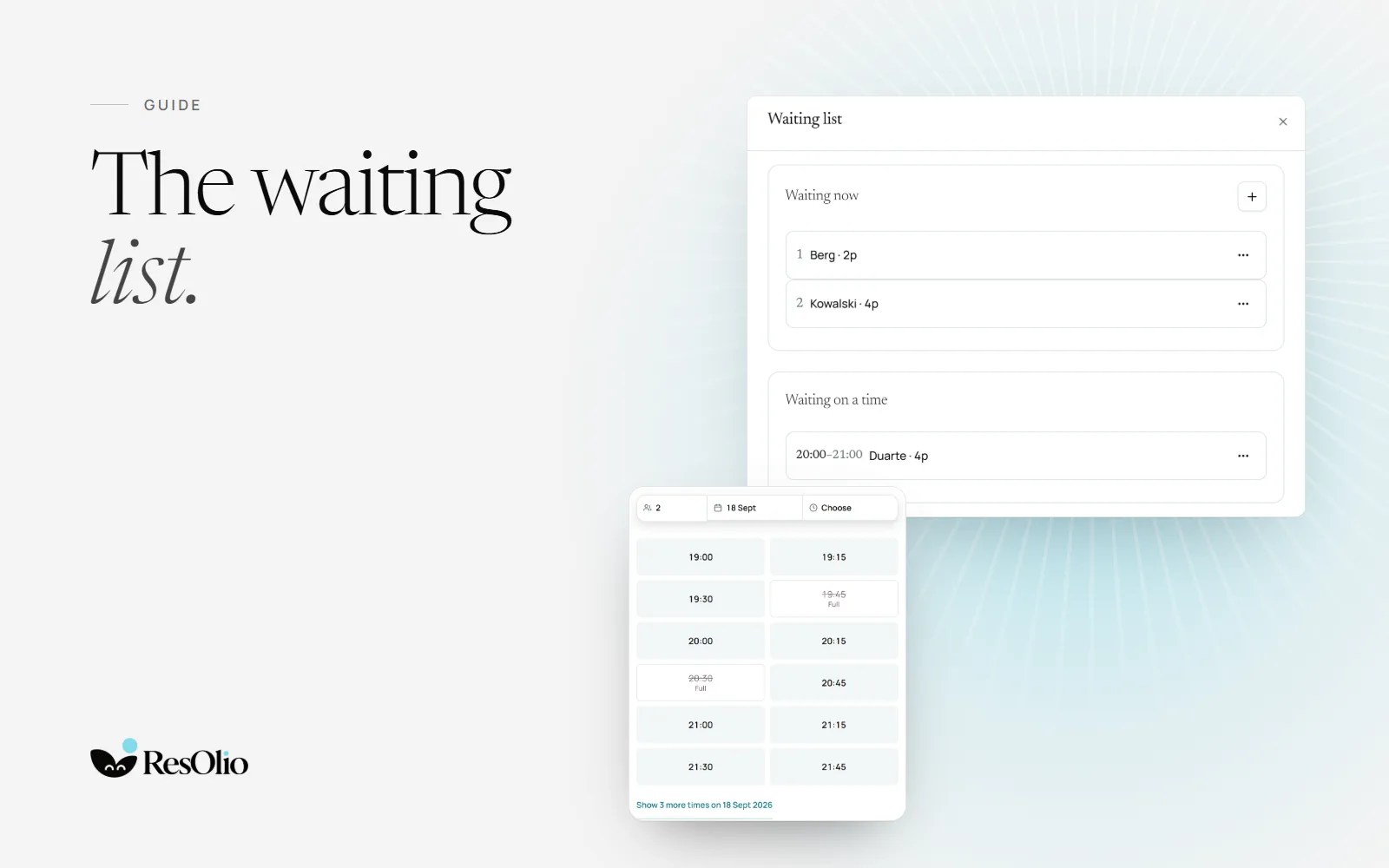
ResOlio gives a full restaurant one waiting list, in the same system that takes its bookings. On Pro, walk-ins and guests from your booking page join one queue, each party sees its place in line, and a table that frees is offered to the next party on its own. Here is what a restaurant waitlist app should do, and how to run one well.
What a restaurant waitlist app does
A waitlist app replaces the clipboard at the door. It keeps the queue in order, tells guests where they stand and lets them know when a table is ready. Done well, it also fills tables that would sit empty: a late cancellation, a no-show, a party that leaves early.
- One queue, in the order guests joined.
- A place in line each party can check from its phone.
- An offer when a table frees, to the first party it fits.
- A time limit on each offer, so a table never waits for a guest who has gone.
- The same screen as tonight’s bookings, so the host sees both at once.
Two ways onto the list
On ResOlio Pro, guests join from your booking page or at the host stand. When tonight is full for their party, your booking page offers the waiting list where the times would be. At the door, your host types a name and a party size, with no email needed. Both land in one queue, in the order they joined.
A place in line, not a guess
Each party gets a live page that shows how many parties are ahead of them. It never promises a wait time. A quoted twenty minutes that turns into forty upsets a guest more than an honest place in line, and a place in line is always true.
Offering a freed table
When a table frees, ResOlio offers it to the first party it fits, by email. The table is held in that party’s name for a set time: seven minutes by default, and you choose the length. A guest running late taps “I’m on my way” and gets five more minutes, once. If nobody answers, the offer moves on to the next party, so the table does not sit empty.
A walk-in who left no email shows “Not emailed — ring” on your host’s screen, with the number to call. See how the waiting list fills a no-show’s table.
Waiting for a future date
Some guests want a night that is already full. On ResOlio, they leave an address, confirmed once, with a party size and a window of up to four hours. When a table opens in that window, they get an email with a link to book. The first to book takes it, and your host makes no calls.
A waitlist app alone, or one inside your booking system
Waitlist-only apps keep a tidy queue, and some have free plans. On their own, though, they cannot see your bookings: the table they offer is one your booking system also holds. A waiting list inside your booking system knows which tables are booked, which are free and when the next one frees.
| Booking system | What it publishes a month | Fee per cover |
|---|---|---|
| ResOlio | Free €0 (50 bookings), Starter €39, Plus €59, Pro €99 | None, and guests never pay |
| Waitwhile | Free $0 (50 visits), Starter from $31, Business from $55 | Not stated on its pricing page |
| TablesReady | Free $0 (100 parties), Starter $39, Business $79, billed yearly | Not stated on its pricing page |
ResOlio
ResOlio keeps the waiting list beside tonight’s bookings and your floor map, on the service screen. On Pro, for €99 a month, you get the waiting list with unlimited bookings, pacing and the guest book, and no plan charges a fee per cover. See the waiting list or read how table management works.
Waitwhile
Waitwhile runs waiting lists and visits for many kinds of business, and its free plan has no time limit. Its pricing page lists Free for 50 visits a month at one location, Starter from $31 a month and Business from $55, with 20% off paid yearly.
TablesReady
TablesReady is built around the restaurant waiting list, and its free plan needs no card. Its pricing page lists Free for 100 parties a month per location, then Starter at $39 a month and Business at $79, both billed yearly, each with a 14-day free trial.
Hosting tips for a busy door
- Take every name, even when the wait looks short.
- Ask for an email, so the offer reaches the guest on its own.
- Tell guests their place, not a number of minutes.
- Keep the hold short on busy nights, so tables turn quickly.
- Seat from the list first, before a walk-in who has just arrived.
Setting it up in ResOlio
Choose Pro
Ask for Pro on the plan screen, and we switch it on, usually within a day. See every plan.
Set the hold
Keep seven minutes for each offer, or choose your own time.
Open the door
Your booking page offers the list when tonight is full, and your host adds walk-ins from the service screen.
Questions
Is there a free waitlist app for restaurants?
On ResOlio, the waiting list comes with Pro at €99 a month, with unlimited bookings and no fee per cover. ResOlio Free gives you 50 bookings a month at no cost, with walk-ins in the same book. Waitwhile and TablesReady list free plans for a waiting list on its own.
How do guests know their table is ready?
ResOlio emails the first party the table fits, and holds the table for them for a set time, seven minutes by default. A walk-in with no email shows on your host’s screen with the number to ring.
Can guests join the waitlist from their phone?
Yes. When tonight is full for their party, your ResOlio booking page offers the waiting list where the times would be. A live page then shows them how many parties are ahead.
What if a guest does not answer?
When the hold ends, the offer moves on to the next party. A guest running late can tap “I’m on my way” once, for five more minutes.
Do I need a separate waitlist app if I take reservations?
Not with ResOlio Pro: the waiting list sits in the same book as your bookings and walk-ins, on the same service screen. One system gives you one queue and one floor.
Does a waitlist app tell guests how long they will wait?
ResOlio shows each party how many parties are ahead of them, which is always true, and never promises minutes.
Sources
- Waitwhile: pricing waitwhile.comread on
- TablesReady: pricing tablesready.comread on
Something wrong? Tell us
Take bookings with no fee per cover
Set it up in five short steps, with no card.