

Restaurant table management software: what it does and how to choose
Good table management shows your host the whole room at a glance, from the first booking to the last table freed.
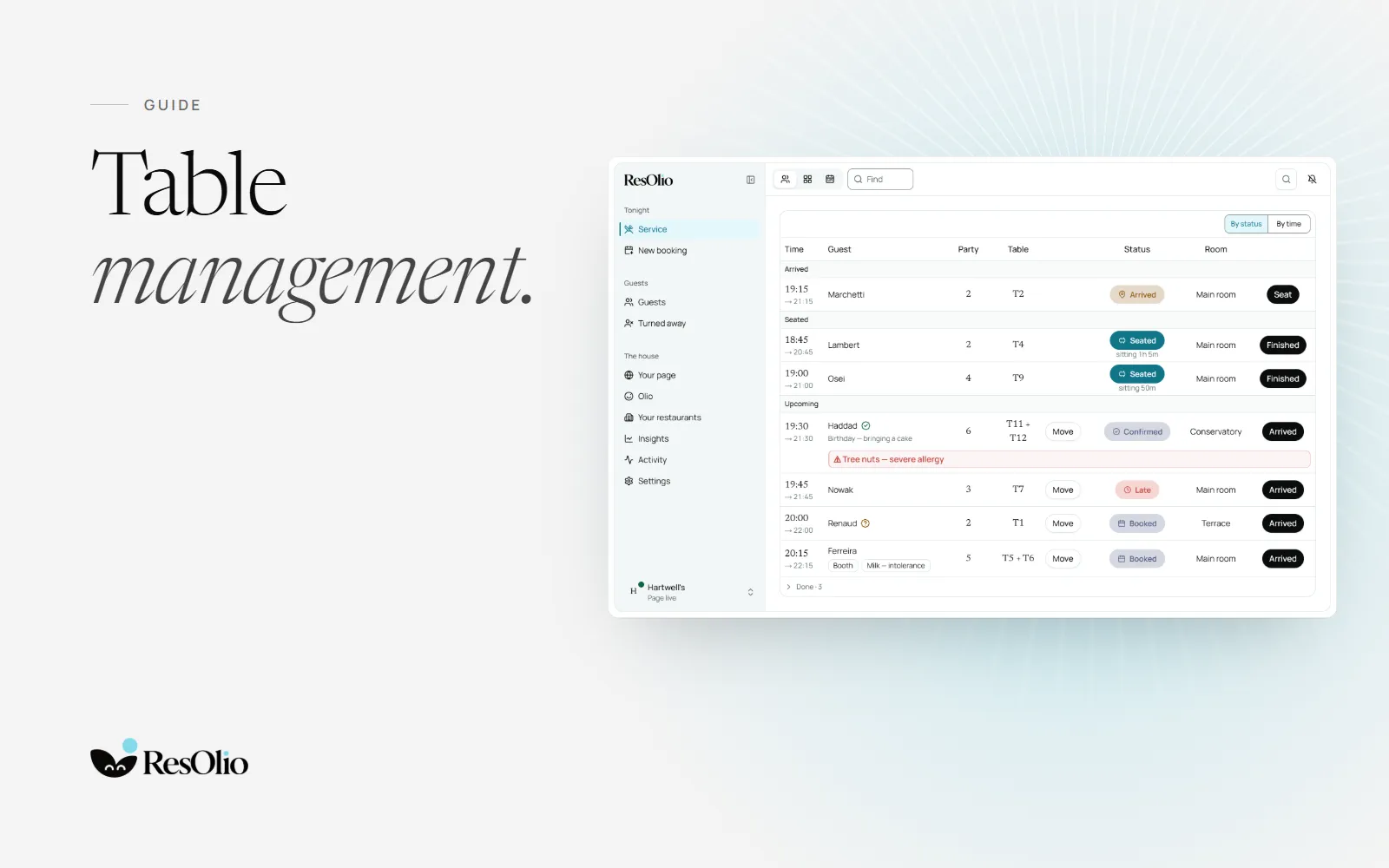
ResOlio gives you table management from the free plan up: your rooms drawn as they are, each table’s status live through service, and walk-ins and phone bookings on the same floor as online bookings. This guide explains what table management software does, and what to ask before you choose one.
What table management software does
Table management software tells your host which tables are free, which are booked and who sits where, right now. It replaces the paper plan and the pencil. A good one shares one picture between the host stand, the bar and the booking page, so nobody gives the same table away twice.
- A floor map of your rooms and tables.
- Statuses that change through service, live on every tablet.
- Combined tables for big parties.
- Turn times, so the system knows when a table frees.
- Walk-ins and phone bookings on the same floor as online ones.
The floor map: your rooms as they are
In ResOlio, you build each floor on the floor map: its rooms, its tables and their shapes, set out as they stand. Change it whenever you like, for a summer terrace or a new table by the window. It is one plan for your host and your booking page alike, so guests online can only book tables that exist.


Table statuses through service
Each booking moves through the evening, and the service screen shows where it stands, on every tablet at once.
| Status | What it means | What the host does |
|---|---|---|
| Not confirmed | The table is booked, not yet confirmed. | Keeps it for the guest. |
| Confirmed | The guest has said they are coming. | Plans the evening around it. |
| Arrived | The party is at the door. | Walks them to their table. |
| Seated | The party is at the table, with how long they have sat. | Keeps an eye on the turn. |
| Late | Their time has come and they are not here. | Calls them, or waits a little. |
| Finished | The party has left. | Gives the table to the next party. |
Combining tables for big parties
A party of six rarely fits one table. In ResOlio, you set your table combinations once, such as T11 + T12 for a party of six. A booking for six can take the pair, and the floor map shows the tables joined for that party. Combinations come with every plan.
Turn times and pacing
A turn time is how long a table is held for a party. In ResOlio, you set it for each service and by party size, so a table for two at lunch frees sooner than a table for eight at dinner. Your floor map then shows which tables are free now and which are booked later.
On Pro, pacing caps how many guests may arrive in each fifteen minutes, for a whole service or one room, with a lower cap online if you like. The kitchen gets a steady evening, and your staff can still seat past a cap, recorded as an override. See pacing.
Walk-ins on the same floor as bookings
Walk-ins and phone bookings go into the same book as online bookings, on every plan, so the floor map always tells the truth. When you are full, on Pro, the waiting list keeps walk-ins and online guests in one queue and offers each freed table to the next party. Read about restaurant waitlists.
Do you need a POS for table management?
No. Many table management tools come with a till. ResOlio runs on its own, in the browser of any tablet, phone or computer, so you need no POS to run your floor. Free runs it on 2 tablets, and every paid plan on as many as you need. See the service screen.
How to choose: five questions
- Does it draw your real room? Your tables, their shapes and your combinations, not a grid.
- Is it live on every tablet? A booking made online should reach the host stand at once.
- Are walk-ins in the same book? Two lists give two answers to the same question.
- Does it need other hardware? With ResOlio, a browser on a tablet you own is enough.
- What does it cost as you grow? Look for a flat price and no fee per cover. See every plan.
Questions
What is table management in a restaurant?
It is how a restaurant decides who sits where, and when. ResOlio does it on one screen: your floor map, each table’s status and tonight’s bookings, live on every tablet.
Is table management software the same as a POS?
No. A POS takes payment; table management runs bookings and the floor. ResOlio runs on its own, so you need no POS to use it.
Can I run table management on a tablet?
Yes. ResOlio runs in the browser of any tablet, and the service screen stays live on all of them: 2 tablets on Free, as many as you need on a paid plan.
Can I combine tables for a large group?
Yes. In ResOlio you set combinations such as T11 + T12 for a party of six, on every plan, and the floor map shows the tables joined for that party.
Is there free table management software?
Yes: ResOlio Free gives you the floor map, your tables and combinations and the service screen, with 50 bookings a month on 2 tablets, at no cost. No card, and no fee per cover.
How do I decide which table to give a party?
Give the party the smallest table or combination that fits, and keep the turn time in mind. ResOlio’s floor map shows which tables are free now and which are booked later.
Something wrong? Tell us
Take bookings with no fee per cover
Set it up in five short steps, with no card.